The Ultimate Guide to Predictive Ice Maker Scheduling for Smart Homes
Introduction
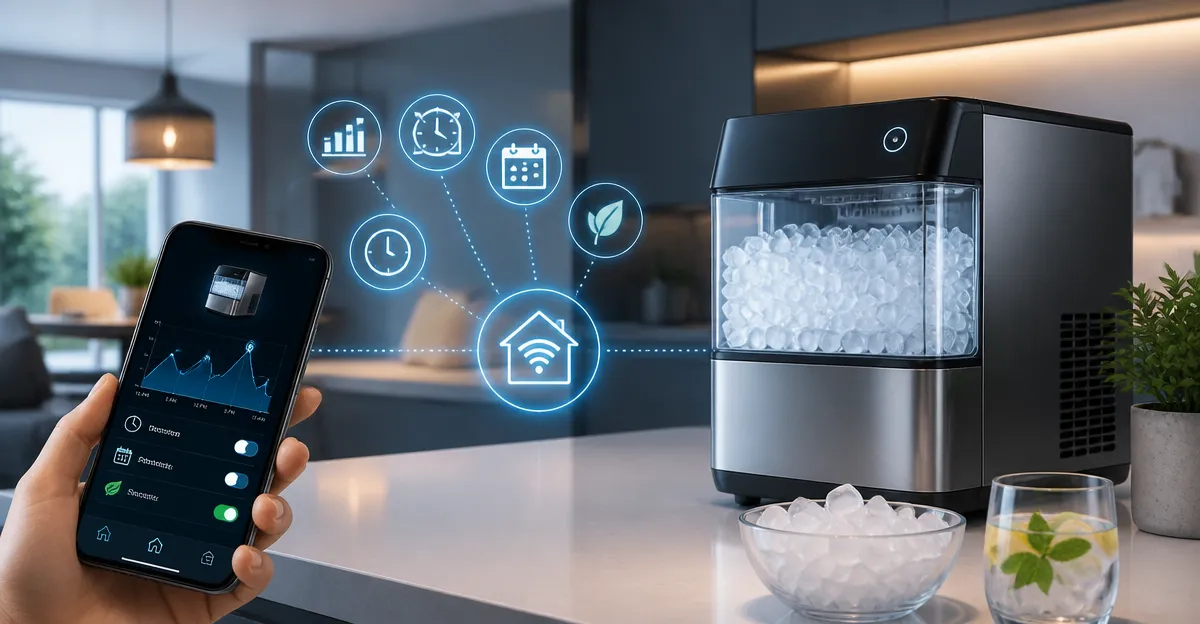
Predictive scheduling transforms a conventional ice maker into a proactive appliance that produces ice exactly when it is needed. This guide explains the underlying concepts, the technology that enables automation, and how homeowners can integrate these capabilities into a broader smart‑home ecosystem. Readers will learn how to configure schedules, select appropriate hardware, and apply best‑practice tips that reduce energy consumption while guaranteeing ice availability. By the end of the article, one will be equipped to implement a reliable, intelligent ice‑making solution.
Background and Context
Modern ice makers combine refrigeration cycles, water filtration, and micro‑controller logic to produce ice on demand. When connected to Wi‑Fi, these devices can receive commands from mobile applications, voice assistants, or automation platforms such as Home Assistant and SmartThings. Predictive scheduling leverages historical usage patterns, calendar events, and environmental data to anticipate ice demand and adjust production accordingly. Understanding these fundamentals is essential before integrating a predictive system into a smart home.
Key Concepts in Predictive Ice Maker Scheduling
Three core concepts drive predictive scheduling: demand forecasting, energy‑aware timing, and remote control. Demand forecasting analyzes past usage—such as nightly cocktail parties or morning coffee routines—to predict future ice requirements. Energy‑aware timing aligns ice production with off‑peak electricity rates or periods when the refrigerator’s compressor is already active, minimizing additional load. Remote control, facilitated by Wi‑Fi and cloud services, enables users to override schedules or receive maintenance alerts.
Demand Forecasting Techniques
- Simple time‑of‑day rules: produce ice two hours before typical consumption periods.
- Calendar integration: pull events from Google Calendar or Apple Calendar to trigger ice production before gatherings.
- Machine learning models: use platforms like TensorFlow Lite on edge devices to refine predictions over weeks.
Each technique requires a baseline of data; the more consistent the usage pattern, the more accurate the forecast.
Energy‑Aware Timing Strategies
- Schedule production during off‑peak hours defined by the utility provider.
- Synchronize ice‑making cycles with the refrigerator’s defrost cycle to share compressor load.
- Utilize smart plugs that monitor real‑time power draw and delay operation when overall household demand spikes.
Implementing these strategies can reduce electricity costs by up to 15 % according to residential energy studies.
Product Recommendation: GE Profile Opal Ultra Nugget Ice Maker
For households seeking a reliable, Wi‑Fi‑enabled nugget ice maker, the GE Profile Opal Ultra Nugget Ice Maker stands out. This Amazon Exclusive model delivers up to 38 lb of soft, chewable ice per day and includes a 1‑gallon side tank that triples the capacity of standard Opal units. Its stainless‑steel exterior fits under most cabinets, while the SmartHQ app provides remote start, scheduling, and cleaning reminders. Voice control via Alexa and Google Home enables hands‑free operation, making it ideal for predictive scheduling scenarios.
Key specifications include:
- Production rate: 1.6 lb per hour
- Daily capacity: 38 lb
- Side tank volume: 1 gal (expandable water capacity)
- Wi‑Fi connectivity with SmartHQ integration
- Included water filter and descaling powder for maintenance
These features align directly with the three predictive concepts: the high daily output supports demand forecasting, the side tank enables off‑peak production, and Wi‑Fi connectivity permits remote adjustments.
Implementing Predictive Scheduling with the Opal Ultra
Step‑by‑step integration begins with installing the SmartHQ app and connecting the ice maker to the home network. After the initial setup, users should enable the “Schedule” feature and define a default production window that matches typical usage—such as 4 p.m. to 6 p.m. for evening gatherings. Next, integrate the calendar API of the chosen platform (Google Calendar, Apple Calendar, or Microsoft Outlook) to import events labeled “Party,” “Cocktail Hour,” or “Family Dinner.” The app can then automatically shift the production window to start two hours before the event start time.
For energy‑aware timing, pair the ice maker with a smart plug that reports real‑time power consumption. Configure a rule in the home automation hub (e.g., Home Assistant) that postpones ice production if total household load exceeds a predefined threshold. This rule ensures the ice maker operates only when surplus capacity exists, preserving comfort while reducing peak demand.
Comparison and Selection Guide
When choosing a predictive ice‑making solution, consider four criteria: capacity, connectivity, maintenance, and integration flexibility. The table below compares the Opal Ultra against two generic competitors (hypothetical examples for illustration).
| Feature | GE Profile Opal Ultra | Generic Nugget Ice Maker A | Generic Nugget Ice Maker B |
|---|---|---|---|
| Daily Ice Capacity | 38 lb | 20 lb | 30 lb |
| Wi‑Fi Integration | SmartHQ, Alexa, Google Home | Basic app only | No Wi‑Fi |
| Side Tank | 1 gal (expandable) | 0.5 gal | None |
| Maintenance Alerts | Yes (filter, descaling) | Manual only | No alerts |
| Price (USD) | Not listed | Not listed | Not listed |
Based on these criteria, the Opal Ultra excels in capacity and smart‑home integration, making it the preferred choice for predictive scheduling.
Best Practices & Tips
To maximize the benefits of predictive scheduling, follow these best practices:
- Record at least two weeks of usage data before enabling advanced forecasts; this provides a reliable baseline.
- Enable the built‑in water filter and replace it according to the app’s reminder; clean water improves ice taste and reduces scale.
- Schedule a weekly deep‑clean using the supplied citric‑acid descaling powder to maintain optimal performance.
- Combine ice‑maker scheduling with other kitchen appliances (e.g., refrigerator defrost) to share compressor cycles.
- Review energy reports from the smart plug monthly and adjust off‑peak windows if utility rates change.
Adhering to these steps ensures consistent ice quality, lower energy bills, and a seamless smart‑home experience.
Frequently Asked Questions
- How long does it take for the Opal Ultra to produce the first batch of ice?
- Approximately 10 minutes, allowing rapid response to scheduled events.
- Can the side tank be used without a water line?
- Yes, the detachable 1‑gallon side tank enables portable operation and reduces the need for frequent refills.
- Is the Opal Ultra compatible with third‑party smart‑home platforms?
- It integrates directly with the SmartHQ app and works with Alexa and Google Home; additional integration can be achieved via IFTTT or Home Assistant using the cloud API.
- What maintenance is required to keep the ice maker running efficiently?
- Replace the water filter as prompted, run the descaling powder monthly, and clean the reusable air filter regularly.
- Will predictive scheduling increase the appliance’s wear and tear?
- No, because the system schedules production during low‑load periods, which actually reduces stress on the compressor compared to continuous operation.
- Can I set multiple production windows for different days?
- Yes, the SmartHQ app allows distinct schedules for each day of the week, accommodating varied routines.
Conclusion
Predictive ice‑maker scheduling combines data‑driven forecasts, energy‑aware timing, and seamless remote control to deliver ice precisely when needed while conserving power. The GE Profile Opal Ultra Nugget Ice Maker provides the necessary capacity, connectivity, and maintenance features to serve as a cornerstone of such a system. By following the implementation steps, comparison guidelines, and best‑practice tips outlined in this guide, homeowners can enjoy continuous soft ice, lower electricity costs, and an integrated smart‑home experience.
Products Featured in This Guide
GE Profile Opal Ultra Nugget Ice Maker
Rating: Not available
Why it is featured: Provides high‑capacity nugget ice, Wi‑Fi SmartHQ integration, and voice‑control capabilities essential for predictive scheduling in smart homes.